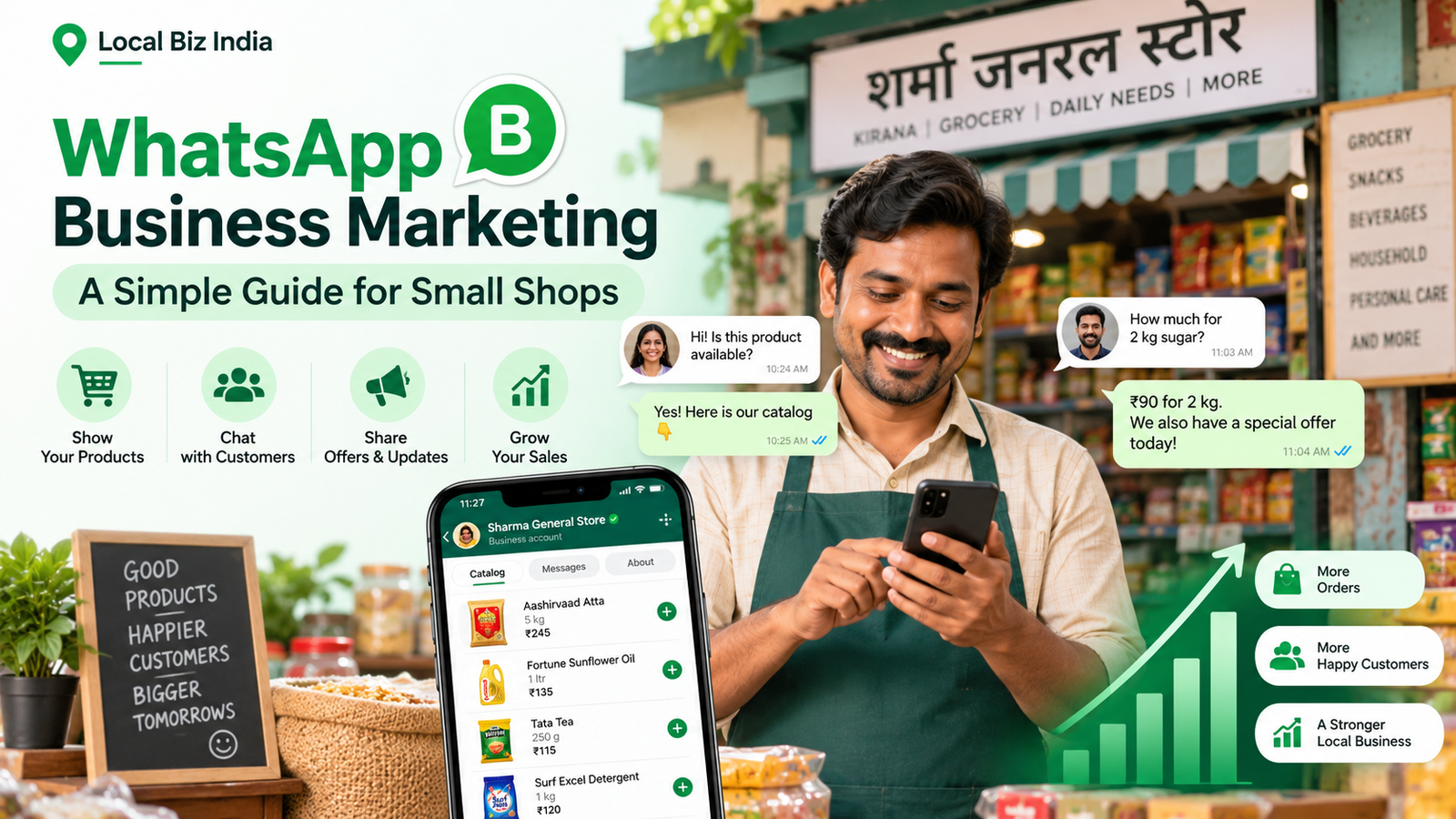
Running a small shop in India means managing customers, orders, payments, and promotions every day. But how can you attract more buyers without spending heavily on advertising?
WhatsApp Business marketing offers a simple solution. Whether you own a kirana store, bakery, clothing boutique, or salon, WhatsApp helps you showcase products, answer enquiries, and build customer relationships.
This guide explains how to use WhatsApp Business to promote your local shop and increase sales.
What Is WhatsApp Business Marketing?
WhatsApp Business marketing means using WhatsApp's business features to promote products, communicate with customers, manage enquiries, and encourage sales. Small shops can create product catalogs, send relevant updates, set up automatic replies, and provide customer support. It is a practical way for local businesses to connect directly with interested buyers.
Benefits of WhatsApp Marketing for Small Businesses
WhatsApp marketing for small businesses offers several advantages:
- Direct communication: Answer customer questions quickly.
- Low starting cost: Use the free WhatsApp Business app.
- Product promotion: Showcase new arrivals and special offers.
- Customer relationships: Provide personalized support.
- Repeat sales: Keep existing customers informed about relevant products.
For example, a bakery can share cake designs, confirm orders, and provide delivery updates through WhatsApp.
How to Set Up WhatsApp Business for Your Shop
1. Create Your Business Profile
Download WhatsApp Business and register your business number.
Add your shop name, logo, address, opening hours, business description, and website.
A complete profile helps customers recognize your business and find important information.
2. Create a WhatsApp Catalog
A WhatsApp catalog allows customers to browse your products directly inside the app.
To create one:
- Open WhatsApp Business and find Catalog.
- Add clear product photographs.
- Include product names, prices, and descriptions.
- Save the items and share them with customers.
For example, a clothing boutique can display sarees, kurtis, and festive collections with prices and available sizes.
3. Set Up Automatic Messages
Use greeting messages, away messages, and quick replies to improve customer messaging.
Example welcome message:
"Hello! Welcome to [Shop Name]. Thank you for contacting us. How can we help you today?"
You can also organize chats using labels such as New Enquiry, Order Confirmed, and Payment Pending.
7 Effective WhatsApp Business Marketing Strategies
1. Share Your WhatsApp Business Link
Add your WhatsApp contact link to your website, Instagram, Facebook, shop signboard, and business listings.
Example: https://wa.me/91XXXXXXXXXX
Replace the example with your Indian business number.
2. Promote Products Through WhatsApp Status
Post product photographs, new arrivals, seasonal offers, and helpful updates.
For example:
"New festive collection available! Message us to check designs, sizes, and prices."
3. Use WhatsApp Broadcasts
Broadcast features help businesses send updates to multiple customers.
Share relevant product launches, offers, or announcements only with customers who have agreed to receive promotional messages.
Broadcast availability, delivery rules, and charges depend on the feature and account.
4. Personalize Customer Messages
Avoid sending the same message to everyone.
For example, a grocery shop can notify interested regular customers when their preferred products are restocked.
Relevant messages can encourage better customer relationships.
5. Create Festival Marketing Campaigns
Indian festivals offer useful opportunities for local businesses.
Promote Diwali gift hampers, Raksha Bandhan sweets, Holi specials, and wedding-season collections.
Prepare your catalog early and clearly mention prices, availability, and ordering deadlines.
Read more: Diwali Marketing Ideas for Local Shops.
6. Follow Up With Interested Customers
If someone enquires about a product but does not order, send one polite follow-up.
Example:
"Hello! Thank you for your inquiry. Would you like more details about the product?"
Avoid repeatedly contacting customers who do not respond.
7. Combine WhatsApp With Local Business Listings
WhatsApp helps customers communicate with your shop, but they must discover your business first.
Online business directories can improve your local visibility by displaying your shop name, services, location, and contact information.
You can add your business to Local Biz India to make your shop easier for potential customers to discover.
Read more: How to Get Your Local Business Found Online in India.
WhatsApp Marketing Message Examples
Here are three simple templates:
New arrival message:
"Hello! Our latest collection has arrived. Would you like to explore the new designs?"
Festival promotion:
"Celebrate Diwali with our special festive collection! Message us to explore available products and offers."
Order confirmation:
"Thank you for shopping with [Shop Name]. Your order is confirmed. We will share an update soon."
Use promotional messages only for customers who have agreed to receive them.
Common WhatsApp Marketing Mistakes to Avoid
- Sending unsolicited promotional messages.
- Posting too many advertisements.
- Taking too long to respond to enquiries.
- Sharing incorrect product prices.
- Ignoring customer feedback.
- Using unauthorized bulk-messaging tools.
Tip: Focus on helpful communication instead of sending frequent sales messages.
For additional guidance, visit the official WhatsApp Business website.
7-Day WhatsApp Marketing Action Plan
Day - Action
Day 1 - Create your WhatsApp Business profile.
Day 2 - Add products to your catalog.
Day 3 - Set up greetings and quick replies.
Day 4 - Share your WhatsApp link online.
Day 5 - Invite customers to opt in for updates.
Day 6 - Publish a useful promotional Status.
Day 7 - Review customer enquiries and orders.
Track how many enquiries turn into confirmed orders. This helps you understand which activities are working.
Frequently Asked Questions
Is WhatsApp Business free in India?
Yes. The WhatsApp Business app is free to download and includes business profiles, catalogs, and messaging tools. Some advanced features may involve charges.
How can I promote my shop on WhatsApp?
Create a complete business profile, share products through your catalog, post Status updates, and add your WhatsApp link to your online business profiles.
Can I send promotional messages to multiple customers?
Yes, WhatsApp provides broadcast features. However, you should obtain customer permission and follow the applicable messaging rules.
What is a WhatsApp catalog?
A WhatsApp catalog is a digital product display where businesses can showcase photographs, descriptions, and prices to interested customers.
How can I get more customers through WhatsApp?
Make your business easy to discover through social media, local listings, and your website. Respond quickly, provide accurate information, and encourage satisfied customers to return.
Final Thoughts
WhatsApp Business marketing is a practical way for small shops in India to promote products, communicate with customers, and encourage repeat sales.
Start with a professional business profile, create a useful catalog, and focus on helpful customer conversations.
Want more people to discover your shop?
Add Your Business on Local Biz India and build your online presence to connect with more potential local customers.